

 Download(1.12MB)
 1.18
1.18
 2.03MB
 Version
2.6
Version
2.6
 Updated on
June 28, 2025
Updated on
June 28, 2025
 Category
Business Office
Category
Business Office
 Size
1.12MB
Size
1.12MB
8.4
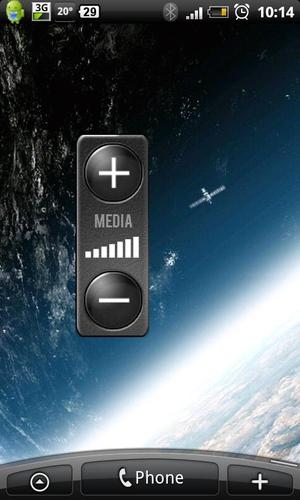
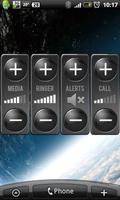
Control all volume levels directly in only One Widget
Best Volume Widget is home screen widget, that allow you to control all volume levels directly in only One Widget.
Installation:
* Long press on home screen, or press menu and then Add. Tap on Widgets. Select Best Volume Widget. Press Add Widget button.
Usage:
* To change Volume type press volume label
* To adjust Volume level press plus or minus button
* Alarm - adjust alarm volume
* Alerts - adjust alerts volume
* Media - adjust media volume
* Ringer - adjust ringer volume
* System - adjust system volume
* Call - adjust voice call volume
We reserve the right to anonymously track and report a user's activity inside of this application.
 Similarity
January 22, 2026
January 19, 2026
January 19, 2026
January 19, 2026
January 18, 2026

January 17, 2026

January 17, 2026
January 17, 2026
January 16, 2026
January 16, 2026
January 16, 2026

January 14, 2026