

 Download(128.08KB)
 1.18
1.18
 2.03MB
 Version
1.1
Version
1.1
 Updated on
November 10, 2025
Updated on
November 10, 2025
 Category
Business Office
Category
Business Office
 Size
128.08KB
Size
128.08KB
8.5
Back-up your SMS (mobile text) to Google Docs spreadsheets!
SMS2Google archives your SMS (mobile text) messages to Google Docs spreadsheets directly from your phone.
Both received (Inbox) and sent SMS messages can be backed up separately.
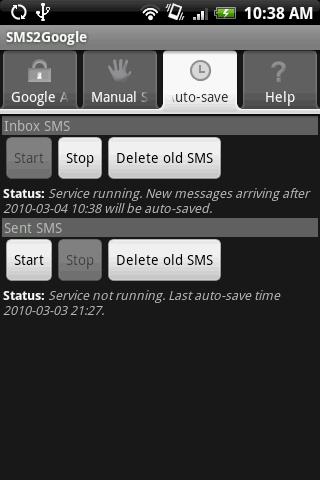
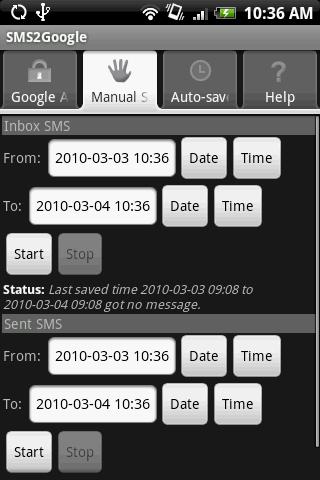
It supports "Manual Save" and "Auto Save" modes.
Manual Save:
- Start archiving as and when required.
Auto Save:
- Archives automatically in the background.
- Service status will be shown on the notification bar.
All essential info of the SMS messages are saved:
- Contact Name
- Mobile Number
- Time Stamps
- Message Body
- Status (read/unread)
Usage
- You can archive your SMS anywhere, any time.
- You can access your SMS archive from the web anywhere, any time.
- You can share your archive with authorized persons on Google Docs.
- SMS messages are saved to spreadsheets allowing them to be easily managed.
Download detailed User Guide from:
http://sms2google.8streams.com/
 Similarity
January 22, 2026
January 19, 2026
January 19, 2026
January 19, 2026
January 18, 2026

January 17, 2026

January 17, 2026
January 17, 2026
January 16, 2026
January 16, 2026
January 16, 2026

January 14, 2026